


astro-ai/nextgig
- Visibility
- public
- Deploys
- 0
- Build Number
- 3fa4c1e7
- Updated
- Sep 3, 2026




 PostgreSQL



NextGig
Hand it your CV once. It runs the job hunt from there.
Job hunting is the same loop over and over: run the same searches, re-read listings you've already seen, click through to a posting that turned out to be filled last week, then lose track of what you actually applied to.
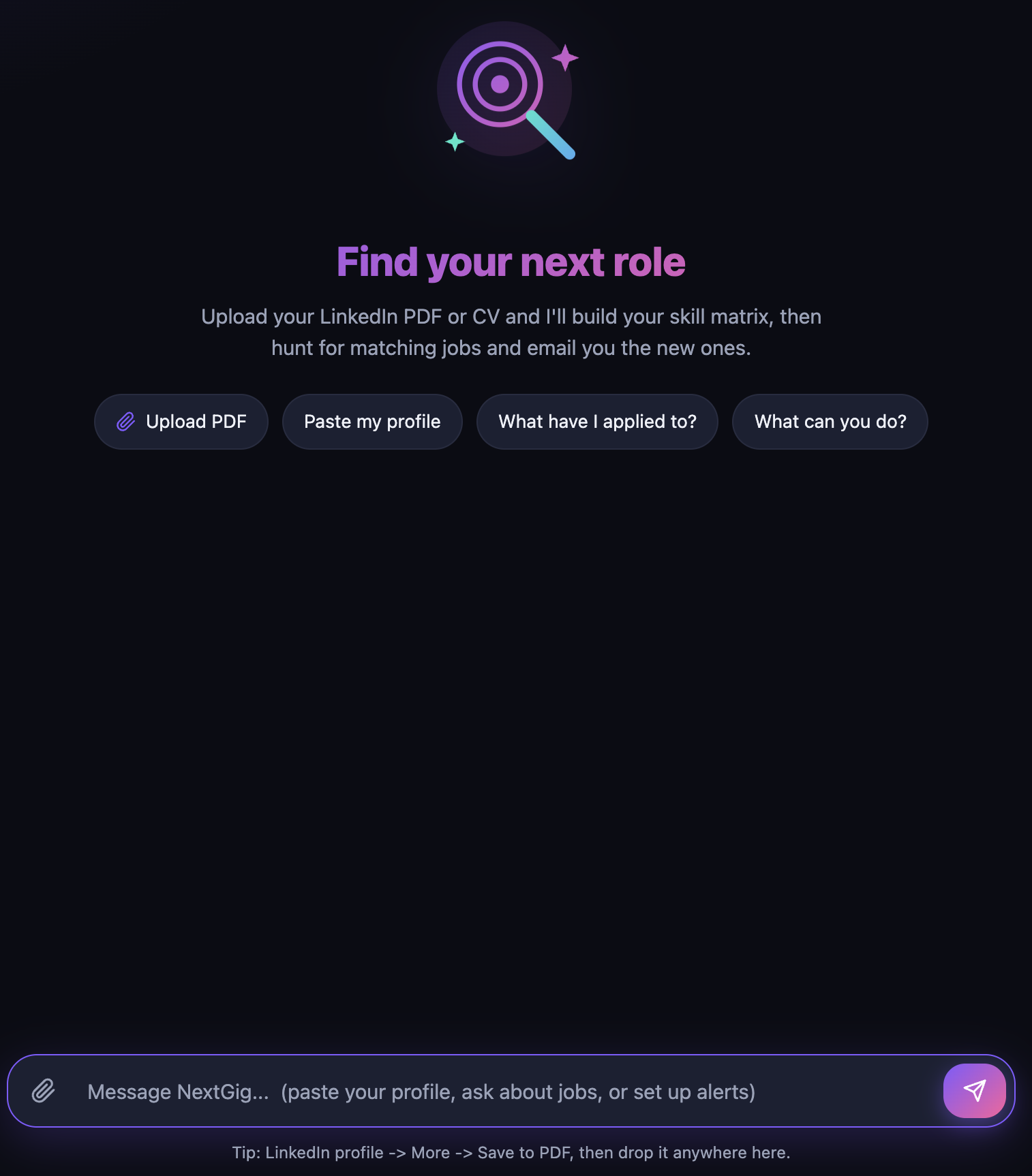
NextGig runs that loop for you. Give it your LinkedIn profile or CV once and it emails you a short digest of new, still-open roles that match your skills and location — nothing you've been shown before. Tell it when you apply, and it keeps the list.
Personal (single-user) agent. Deploy it by yourself, for yourself, and keep the deployment private. There is no authentication, email settings are shared per deployment, and all model and email usage bills to your account. See
docs/single-vs-multi-user.mdfor what running it for other people would take.
Overview
A chat agent with its own small web frontend. Onboarding is conversational and takes about a minute:
- Profile → skill matrix. Upload your LinkedIn profile as a PDF (LinkedIn → More → Save to PDF) or your CV, or just paste the text. It extracts your headline, target job titles, and a skill list with proficiency levels. PDFs are parsed to text server-side — LinkedIn is never scraped.
- Location & preferences. Where you want to work, and whether you want remote, hybrid, onsite, or any.
- Notifications. Your email and a cadence — daily or weekly. Optional; chat works without it.
From then on a built-in scheduler does the hunting:
- Finds matches with the gateway's server-side web search, biased toward individual postings on applicant-tracking systems (Greenhouse, Lever, Ashby) and company career pages rather than aggregator homepages.
- Checks every link before you see it — it opens each candidate posting and drops the dead ones (404 / expired / filled). If a page can't prove it's really that role — many boards answer an unknown job id with their generic careers page, and some render entirely in the browser — the role is labelled unconfirmed rather than quietly presented as verified.
- De-duplicates against everything already sent, so a digest never repeats a role.
- Emails only what's new, and sends nothing at all when there's nothing new.
- Remembers your applications. Applied roles never come back in a digest.
Nothing here needs an API key of your own: the model and the web search run through the Astro AI Gateway on a managed per-tenant credential. State lives in a Postgres store deployed alongside the agent, so your profile, applications, and history survive restarts and redeploys.
Usage
- Onboard — open the frontend, drag your CV/LinkedIn PDF anywhere onto the page, and answer the two follow-up questions.
- Get matches now — "Send me matches now" runs a search and emails the digest. "What roles are out there for me today?" discusses them in chat instead.
- Adjust anything — "Change my location to Berlin, remote only", "Switch me to weekly emails".
- Track applications — "I applied to #2", "I have an interview with Wolt on Tuesday", "Acme rejected me". Then "What have I applied to?" for a dated list with links and statuses (applied, interviewing, offer, rejected, withdrawn).
- Enable email — gear icon, top right → paste a free Resend API key → Save & send test. Or set
RESEND_API_KEYas a deployment secret, which takes precedence.
Deploy your own
ast login                 # the gateway and the store are account-scoped
bun install
ast project start         # local dev: agent on :3200, plus a Postgres sidecar

ast push --visibility public
ast deploy nextgig --wait
A Resend key is the only key involved, it is optional, and it can be pasted into the app instead of deployed as a secret.
Configuration
| Variable | Purpose | Required |
|---|---|---|
ASTRO_GATEWAY_URL / ASTRO_GATEWAY_API_KEY / MODEL_DEFAULT | Model + server-side web search, from the models.default gateway block in astropods.yml | Injected |
POSTGRES_HOST / PORT / USER / PASSWORD / DB | The knowledge.db Postgres store deployed with the agent | Injected |
RESEND_API_KEY | Email delivery — or set it in-app via the Settings panel | For email digests |
RESEND_FROM | Sender address; defaults to [email protected] | No |
How it works
| Piece | Choice |
|---|---|
| Model | gpt-5-6-luna through the Astro AI Gateway (models.default.provider: gateway) — swap it in astropods.yml |
| Job search | The gateway's provider-executed web_search, so no search API key |
| Link checking | A client-side web_fetch tool that opens one URL and reports whether the page backs up the posting |
| Storage | Postgres knowledge store — profile, applications, de-dup history, chat memory |
| Scheduling | In-process node-cron, hourly tick; email sent deterministically in code, not by a tool call |
| Interface | Custom chat + PDF-upload frontend on port 80; no messaging sidecar |
The gateway wiring has sharp edges worth reading before you fork this — docs/ai-gateway.md covers why model calls must set store: false, why web search runs with externalWebAccess: false, and why replies are non-streaming.
Limitations
- Personal use only — no authentication or per-user accounts, and email settings are shared per deployment. Keep the URL private.
- Search freshness varies. Web search reads a cached index rather than the live web, so fast-moving markets show gaps and a run can legitimately return nothing new.
- Verification has a ceiling. Postings on browser-rendered boards (Ashby, Workday) and behind bot walls (LinkedIn, Indeed) cannot be confirmed server-side — they are shown as unconfirmed, never silently as verified.
- Scanned or image-only PDFs cannot be parsed; use a text export or paste your profile.
- Replies arrive in one piece. A search turn can take up to a minute, so the UI streams progress ("Searching the web…", "Opening jobs.ashbyhq.com…") rather than the answer token by token.
- Visibility
- public
- Deploys
- 0
- Build Number
- 3fa4c1e7
- Updated
- Sep 3, 2026
PostgreSQL